
How to Build in LEGO Skylines
Start on one plot, dress it until it looks like yours, then grow — without waiting for a BrickLink miracle.
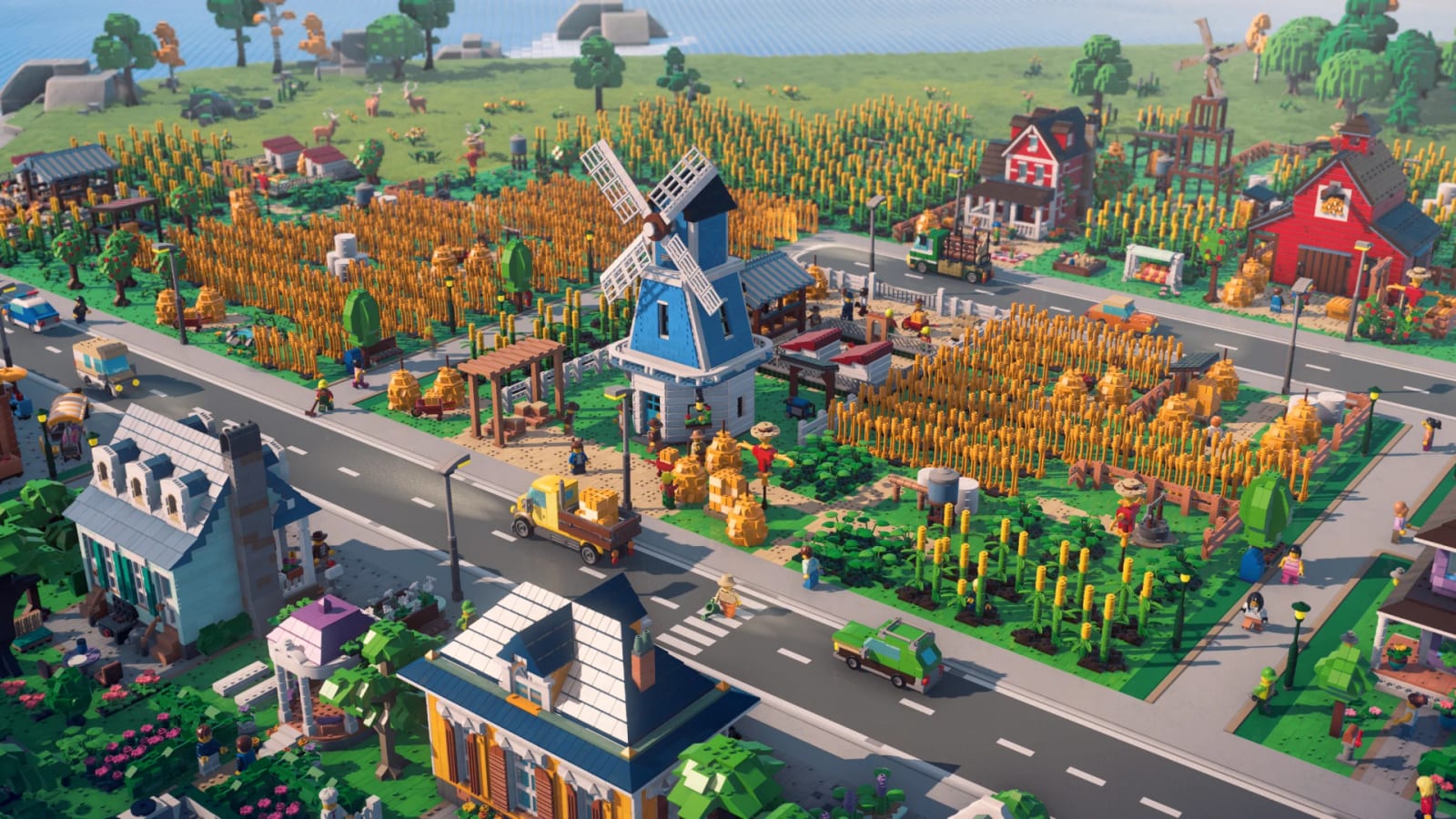
Building is the whole pitch. LEGO Skylines exists because Iceflake grew up on sets and now makes management games. The press release starts you on a single plot with a first house. It does not start you on a 4K downtown. If you skip the first plot, you skip the toy the trailer is selling.
This page is how to build from official language: plots, buildings, decorations, customization, and the unlocks that arrive as the city rates higher. Pair it with the buildings ranking when you need a “what first” list, and with how to play when you need the loop around the bricks.
Plots are the unit of imagination
Paradox keeps saying plots, not just zones. That word matters. A plot is a place you dress. A zone is a color on a map. LEGO Skylines wants you to obsess over the details on a lot — then zoom out and do it again down the street. Screenshots show prefab buildings that can be dropped into place, which is how most digital LEGO cities have always worked. The open question was whether you could also author a building stud-by-stud. Iceflake closed it on 29 August: the city is not brick-by-brick. You focus on personal work, one building at a time, then a bigger brush in the late game. See the IGN interview.
Brick Fanatics relayed a BrickTap note that Iceflake hopes to talk to BrickLink Studio, theoretically letting you design buildings and port them in. Treat that as a hope, not a feature. If it ships, this page will say so. If it does not, you still have the “frankly absurd amount” of official parts the store page already promised.
The first house, then the street
The official growth line is almost a tutorial already:
- One plot.
- First house.
- Neighborhood.
- Living metropolis.
Build the house like you mean it. Homes that one-up the neighbors are in the copy for a reason. Then connect a road. Then the services that make the house legal in a city-builder: power, food, water. Do not plop a sports arena on plot two. Unlock language in the press kit is clear — new buildings and services arrive as you expand and the rating climbs. Forcing endgame toys early is how you get an empty landmark.
Customization without a diary
The FAQ answer to “what can I customize?” is “well, everything,” plus a promise of future videos. That is marketing, but it is also a design intent: Iceflake does not want every skyline to look like the box. Practical reading until we have a UI:
- Expect palettes, decorations, and lot dressing to be deep. That is the cheapest way to make cities diverge.
- Expect prefab buildings with variants rather than a full digital brick palette on day one. Prefabs are what the first screenshots look like.
- Expect decorations to be the LEGO identity. Studs, lamps, trees, street clutter, and minifigure-scale props are how a city stops looking like a grey SimCity grid.
- Do not expect Steam Workshop on announcement day. GamesHub noted that mod support is unconfirmed. Cities: Skylines players will ask. Iceflake has not answered.
The build hub is where we rank those pieces as they appear. This page stays on method.
Beautiful, weird, or yours
The slogan is three sentences. Make it beautiful. Make it weird. Make it yours. Those are three different first cities:
- Beautiful: parks, tidy streets, a skyline that photographs. Lean on happiness and green space early.
- Weird: donut shops on every corner, bakeries fed by your own wheat, a fishing minifig who says wow. The trailer already endorsed this. See city types.
- Yours: the fingerprints line. Spend the extra clicks on decorations even if a veteran city-builder brain says they have no yield. In this game, decoration is probably part of the rating fantasy.
How to grow without painting yourself into a corner
Leave room. Unlimited space is the slogan; your first screenshot still has edges. Keep a service corridor. Keep a park belt. Keep a plot you have not themed yet so a later unlock does not have to demolish the bakery you love. The walkthrough uses that empty plot as a deliberate beat.
When you do go tall, remember hospitals, garbage, and sewage still have to click. A brick skyscraper with no water is a sculpture. The services guide is the other half of building.
What we will add after the first hands-on
We need: how placement snaps to studs or to a hidden grid; whether roads are brush-painted or piece-placed; whether interiors exist; whether you rotate decorations in 90-degree clicks. None of that is in the press kit. Until a diary, the correct how-to-build advice is slow, one building at a time, service-second, decoration-as-XP, and a wishlist on the platform you will actually play. The vs Cities: Skylines page is the sibling-series version of that sentence.
Frequently Asked Questions
Short answers while LEGO Skylines is still in the wishlist window.
Can I build brick-by-brick like a real LEGO set?
Not for the whole city. Liljedahl told IGN you work one building at a time, then a bigger brush later. Studio import is still rumor. Track it on buildings.
Should I plan a huge downtown on day one?
No. Official copy starts you on one plot and one house. Unlock more as the city rating climbs.
Do decorations matter or are they cosmetic?
Paradox is selling identity, not a grey efficiency sim. Dress the lot. Happiness notes sit on how to keep citizens happy.
Will there be mods?
Unannounced. Do not wait for Workshop to plan a first city. Use official parts and the city planner.